Too many clicks from paid traffic die after the landing page loads. The ad did its job, but the page makes people wait, wonder, or work.
Effective search experience optimization is the practice of matching the page to the search intent and the ad, removing friction, and making the next step obvious. Implementing SXO for PPC is critical for CMOs and marketing teams because it directly improves return on ad spend, strengthens conversion rates, and enhances the overall user experience so that lead quality holds up after the form fill. Through disciplined PPC landing page optimization, you stop paying for attention that never turns into action. The fixes are usually simpler than the bid strategy, and the biggest ones show up fast.
Key Takeaways
- Align user intent for seamless transitions: Ensure your headline, offer, and call to action mirror the ad copy to maintain momentum from the query to the landing page.
- Prioritize simplicity to reduce friction: Remove distractions like unnecessary navigation, excessive form fields, and cluttered layouts that pull users away from your single, intended conversion goal.
- Build trust through specific proof: Move social proof, such as ratings and case results, near your call to action to address user doubt exactly when they are ready to convert.
- Iterate with focused testing: Rather than launching total redesigns, use A/B testing to isolate and fix high-friction elements like page speed, mobile responsiveness, and message clarity for immediate performance gains.
What search experience optimization means for PPC landing page optimization
Search experience optimization connects three distinct moments: the query, the ad, and the landing page. If these moments feel consistent, the visitor keeps moving forward. If they do not, momentum quickly drops.
Friction is anything that slows, confuses, or distracts a visitor after they click. Improving the post-click experience is a fundamental component of conversion rate optimization, as it ensures that the budget you invest in your ads actually translates into leads or sales. By refining these interactions, you turn casual traffic into loyal customers.
This quick comparison shows how aligning user intent and ad relevance helps reduce friction:
| Element | High-friction page | Low-friction page |
|---|---|---|
| Headline | Generic and broad | Matches the ad promise |
| Layout | Busy, many exits | Focused, one clear path |
| Form | Too many fields | Only asks what matters |
| Trust | Claims without proof | Specific proof near the call to action |
The table above illustrates how the right call to action, supported by relevant messaging, guides visitors toward a conversion. This approach is most effective for high-intent search, where visitors expect an immediate, relevant answer.
### Why the post-click experience matters more than the click itself
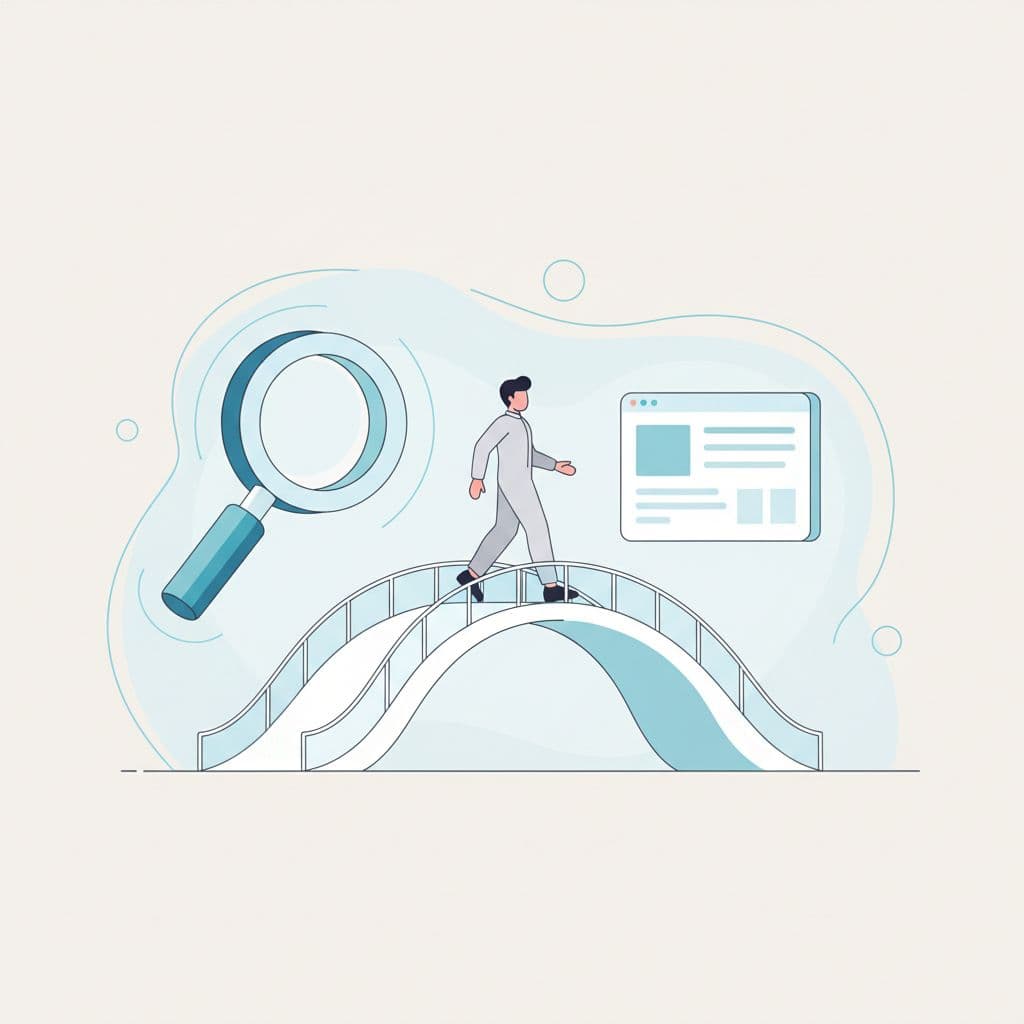
A strong ad can still fail if the landing page creates doubt, causing people to bounce before they learn enough to care.
That gap between expectation and reality is expensive. You pay for the click regardless of the result, but the cost per lead climbs when the page does not carry the initial promise forward. When you prioritize ad relevance, you ensure that the message in the ad is mirrored immediately on the destination page. As one practical landing page optimization guide points out, conversion gains can improve customer acquisition costs just as effectively as lower costs per click. If your cost per lead keeps rising, audit your page speed and design before you increase your bids.
How search intent should shape the page visitors see
User intent should decide what page people land on, what language they see first, and what action you ask them to take. A person searching for an emergency plumber should land on a dedicated page for emergency services, not a broad services page.
The offer, audience, and next step should always align. If the query is urgent, the page should reflect that urgency. If the query is research-heavy, the page needs to provide clear proof and detailed information.
That match lowers friction because people do not need to re-interpret the offer. They can quickly decide whether to trust you, engage with your call to action, and continue their journey.
Removing friction for better PPC landing page optimization
Most landing page problems are not dramatic. They are small bits of resistance that add up, then kill conversion intent one pause at a time.
The common mistakes are simple: a vague headline, too many choices, and a form that asks for more information than the follow-up team actually needs.
### Use message match to align your headline, offer, and call to action
Strong message match cuts down on second-guessing. If your Google Ads headline says “Book a Same-Day Roof Inspection,” the page headline should sound exactly like that, and your call to action should continue the same promise.
Weak version: “Trusted Exterior Services” with a “Submit” button. Strong version: “Book Your Same-Day Roof Inspection” with a “Schedule My Inspection” call to action.
That small shift tells the truth about what happens next. Another helpful resource, 12 PPC landing page fixes, makes the same case: clarity in the headline, offer, and call to action usually lifts results before advanced design tweaks do.
Cut distractions that pull people away from the main goal
One page should usually have one job. Top navigation, extra links, sidebars, pop-ups, and oversized footers give paid traffic visitors easy exits before they commit.
That does not mean every page must look bare. It means your landing page design must ensure that each element supports the conversion path rather than competing with it.
Fewer choices often mean less hesitation. If someone arrived from a paid ad for a specific offer, keep them on that focused path to improve your conversion rate optimization results.
Short forms, fewer fields, and better mobile flow
Long forms create drag because every field asks for more effort and more trust from the user. For effective lead generation, ask only for what you need to qualify and follow up.
Every extra field should earn its place.
Use autofill, smart defaults, and input types that fit mobile behavior. If the sales team never uses “Company Size” on the first call, remove it.
A simple review with sales or operations often exposes wasted fields fast. That is a strong mid-funnel fix because it improves both your form completion rate and the quality of the leads you receive.
Build trust fast so visitors feel safe taking action
Visitors do not need more hype. They need clear trust signals that your offer is real, relevant, and low-risk.
Effective landing page design works best when it places social proof and supporting evidence near the decision point. Instead of burying these elements at the bottom of the page, position them close to the form or call to action to maximize impact and user confidence.

### Use social proof that feels real, not generic
Generic testimonials do not calm serious buyers. Specific social proof does.
A better testimonial names the problem, the result, and the context. Review counts, ratings, client logos, short case results, and recognizable platforms like Google Reviews or G2 can help if they match the offer on the page.
Proof should support the claim being made. If the page promises fast response times, show evidence of fast response, not a vague quote about good service.
Answer the questions people are already asking in their head
Unclear next steps create friction. People want to know what happens after the form, how soon you will reply, whether pricing starts at a known range, and whether the offer fits their situation.
You do not need to publish every detail. You do need to remove avoidable uncertainty.
A short line under the call to action can do a lot of work: “We will reply within one business day” or “No sales call required for the audit.” Pull in sales and client service for a 20-minute review, because they already know the objections people raise.
Use visual cues that support the offer and reduce doubt
Good visuals explain your value proposition faster than extra copy. Product screenshots, service imagery, short UI previews, and clean layout cues help people understand where they are and what they are buying.
Stock photos can hurt when they add nothing. If the image does not clarify the offer, support trust, or guide the eye toward the conversion point, it is merely decoration.
Another practical guide on optimizing PPC landing pages also stresses clean layouts and message continuity. Both reduce bounce because the page feels easier to trust at a glance.
How to diagnose friction on your own landing pages
You do not need a full redesign to spot post-click problems. Start by reviewing the page the way a first-time visitor would. Look for places where momentum stops, then check whether the stop comes from relevance, usability, speed, or trust. This audit helps you evaluate the overall user experience to ensure your traffic is being handled effectively and that your post-click experience is optimized for every visitor.
A simple landing page friction audit you can run this week
Run this in order, and do not skip mobile devices:
- Read the search term and ad copy first.
- Load the page and note the first screen.
- Check whether the headline repeats the promise.
- Find the primary CTA and ask if it is obvious.
- Count distractions, including menus and extra links.
- Test the form on your phone to verify mobile responsiveness.
- Record any moment where you hesitate or feel unsure.
This quick pass usually reveals where the page feels slow, unclear, or busy.
What to compare in ads, queries, and landing pages
Open three columns in a sheet: query, ad, and page. Then compare the offer, audience, tone, urgency, and next step. If the query says “free estimate,” the ad says “same-day quote,” and the page says “contact us,” you have a mismatch. The language does not line up, so trust drops.
Use Google Ads search terms, GA4 landing page reports, and session tools like Microsoft Clarity, heatmaps, or Hotjar to see where people stall. Those tools do not explain intent for you, but they reveal where behavior changes.
Signals that friction is hurting conversions
These are clues, not proof, but they often point to post-click problems:
- High bounce rate on paid landing pages
- Low scroll depth before the form
- Form starts without completions
- Weak click-through rate on your call to action
- Poor mobile conversion rate
- Large gaps between ad groups targeting similar offers
Check those signals before you make big changes. Once you identify the likely cause, you can perform A/B testing on specific elements to optimize performance, one change at a time.
A/B testing for PPC landing page optimization
Guessing wastes your budget. A/B testing shows exactly which changes removed real resistance. By iterating on your landing page design, you improve your conversion rate optimization strategy, which helps protect your return on ad spend and lowers your cost per acquisition.
Small edits often drive significant results because paid traffic is highly specific. When visitors arrive with strong user intent, your primary job is to ensure the conversion funnel feels seamless and intuitive.
What to test first for the biggest lift
Start with the highest-friction elements first. In most accounts, this means focusing on message match, CTA text, form length, page speed, trust proof, and mobile layout. Use A/B testing to isolate one variable at a time where possible. A cleaner headline or shorter form often beats a full redesign because it targets the actual blocker preventing a user from taking action.
How to use page speed, layout, and copy as conversion levers
Page speed matters because any delay gives doubt time to grow. Compress heavy images, reduce bulky scripts, and prioritize improving your Core Web Vitals, especially for mobile traffic where load times are critical.
Layout matters because people scan before they read. Use responsive design to ensure your content is accessible on any device, and always keep your core promise, social proof, and CTA above the fold.
Copy matters because vague language makes work for the visitor. To ensure your messaging aligns perfectly with your ad copy, consider using dynamic text replacement to tailor the experience to each visitor. Remember that clear beats clever on a landing page almost every time.
When to send users to a new page versus fixing the current one
Fix the current page if the offer is solid and the structure is fundamentally sound. In these cases, improving message match, shortening forms, and cleaning up the layout can resolve most performance issues.
Build a new page if the current one tries to serve too many intents, audiences, or offers simultaneously. This is common when teams send paid traffic to a general service page simply because it is already live, rather than creating a dedicated page that aligns with specific visitor needs.
FAQ
What is friction on a PPC landing page?
Friction is anything that slows or confuses the visitor after the click. Common examples include message mismatch, clutter, long forms, weak proof, and poor mobile usability. Eliminating these obstacles is a core component of effective PPC landing page optimization.
Is search experience optimization the same as conversion rate optimization?
No. Search experience optimization starts earlier, with the query and ad, then carries that specific intent into the page. While conversion rate optimization is broader and may focus on general on-page behavior, you will often use A/B testing to refine your results within both frameworks to ensure the best possible outcome.
How does PPC landing page optimization affect Quality Score?
Improving your post-click experience is essential for performance. By ensuring high Ad relevance and a seamless user experience, you increase your Google Ads Quality Score, which helps lower your overall cost per click and improves ad placement.
Should every PPC ad have its own landing page?
No. Closely related ads can share a page if the intent, offer, and CTA match. High-intent campaigns usually perform better with tighter page-to-keyword alignment, which is a fundamental goal of search experience optimization.
How many form fields should a lead generation page have?
The answer is only the fields needed for qualification and follow-up. If a field does not change routing, sales action, or lead scoring, test removing it to minimize friction and improve your conversion rate.
Should PPC landing pages include top navigation?
Usually no. Paid landing pages work best when they keep visitors focused on one action. Navigation can make sense on softer offers, but it often lowers direct-response performance by distracting users from the primary goal of the page.
Conclusion
Effective search experience optimization means less friction, more trust, and a clearer next step after the click. While traditional SEO landing pages focus on building organic reach and long term authority, this search experience optimization strategy is specifically designed to maximize the performance of your paid traffic. To see success, you must match the ad to the page, remove distractions, shorten the form, and answer the doubts that stop action.
Most landing pages do not need a total rebuild. They need tighter message match and a simpler path to conversion. By prioritizing the user journey, you create a more compelling call to action that drives better results for your campaigns.
If you want a faster read on where your pages lose momentum, Get a Free Consultation.